


Onboarding & Instructions
AI-Driven Metaverse Virtual Exhibition for iMINE 2026
Explore innovation anytime, anywhere — discover booths, attend talks, and connect with exhibitors through UniVRse.
Start with a quick tutorial, then jump into the event and explore booths at your own pace.
A simple way to experience a hybrid international exhibition
IMINE 2026 blends physical activities with a metaverse showcase — so you can explore innovation, meet exhibitors, and attend sessions wherever you are.
IMINE is an annual entrepreneurship and innovation exhibition organized by MASMED UiTM. The 2026 edition adopts a hybrid format, combining physical and virtual experiences to expand global reach and participation.
The virtual exhibition is hosted on UniVRse, a metaverse-based platform that enables users to explore a 3D environment, interact through avatars, and engage with digital content such as posters, videos, and live sessions—all accessible via mobile devices.
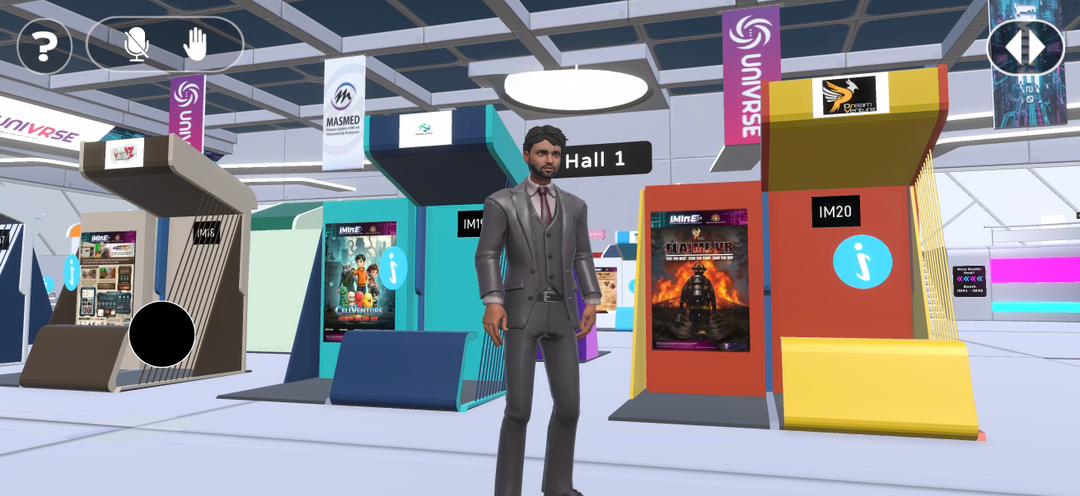
Walk through booths, view media, and connect with exhibitors in a structured, visitor-friendly environment.
How-to videos for VISITORS
Beginner-friendly walkthroughs so you can join fast and navigate confidently.
Get the app
How to download UniVRse
A simple 4-step flow — for first-time users.
You are an exhibitor
Use the steps below to prepare your virtual booth and start engaging visitors.
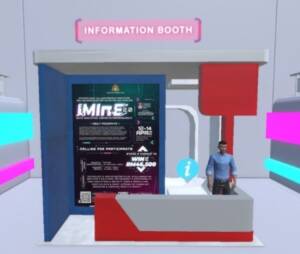
How-to videos for exhibitors
Short, practical walkthroughs to help you set up, go live, and handle the event smoothly.
Do’s and don’ts
Keep things clear, consistent, and visitor-friendly — especially on mobile.
- Prepare and upload your materials early
- Test your booth before the event starts
- Stay active and responsive during the event
- Ensure your content is clear and engaging
- Do not wait until the last minute to upload materials
- Do not leave your booth unattended
- Do not upload incomplete or incorrect content
- Do not ignore visitor interactions
Common exhibitor questions
Quick answers for booth setup, media guidelines, and event participation.
Support
Need help? Our team is here for you.
For onboarding, booth issue, or access problems – reach out via the channels below.
Phone
+60 1111349770
officialunivrse@gmail.com